
Japanese & kanji handwriting
Japanese and kanji.
We learn them
by writing.
Every character carries its own meaning, so you only really know it once you can write it right. Inkana reads your handwriting and tells you on the spot whether you wrote it correctly, then brings back the ones that won’t stick, every day.
First 15 hiragana free · No account needed · Works offline
Why write?
One stroke off,
a different character
Every kanji and kana has a fixed meaning and sound. Characters that look alike on screen feel different in your hand once you write them. That’s why Inkana teaches by writing, not by looking.
The catch has always been that, writing alone, you can’t tell whether you got it right. Inkana’s handwriting reader reads what you wrote and tells you right away: correct, or read as a different character.
earth · samurai
Only the bottom stroke’s length differs
not yet · end
Is the top stroke shorter or longer?
shi · tsu
Which way the dots and last stroke go
so · n
Which direction the last stroke runs
Marked right on your writing
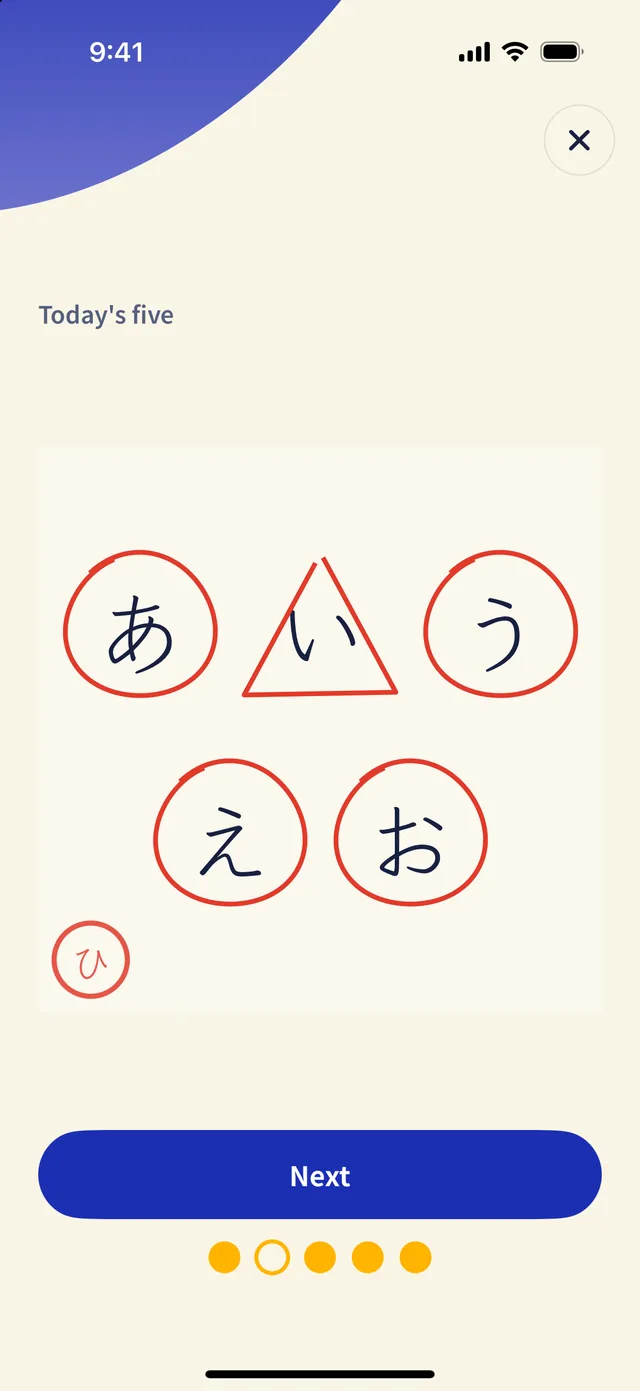
On-device handwriting recognition reads each character and shows the result as a mark, the way a teacher grades a test. It works the same with no internet.
○ Written right
A red circle wraps the character and you move on to the next step.
△ Right on the second try
A character you fixed after a miss keeps a triangle, so it comes back for another round later.
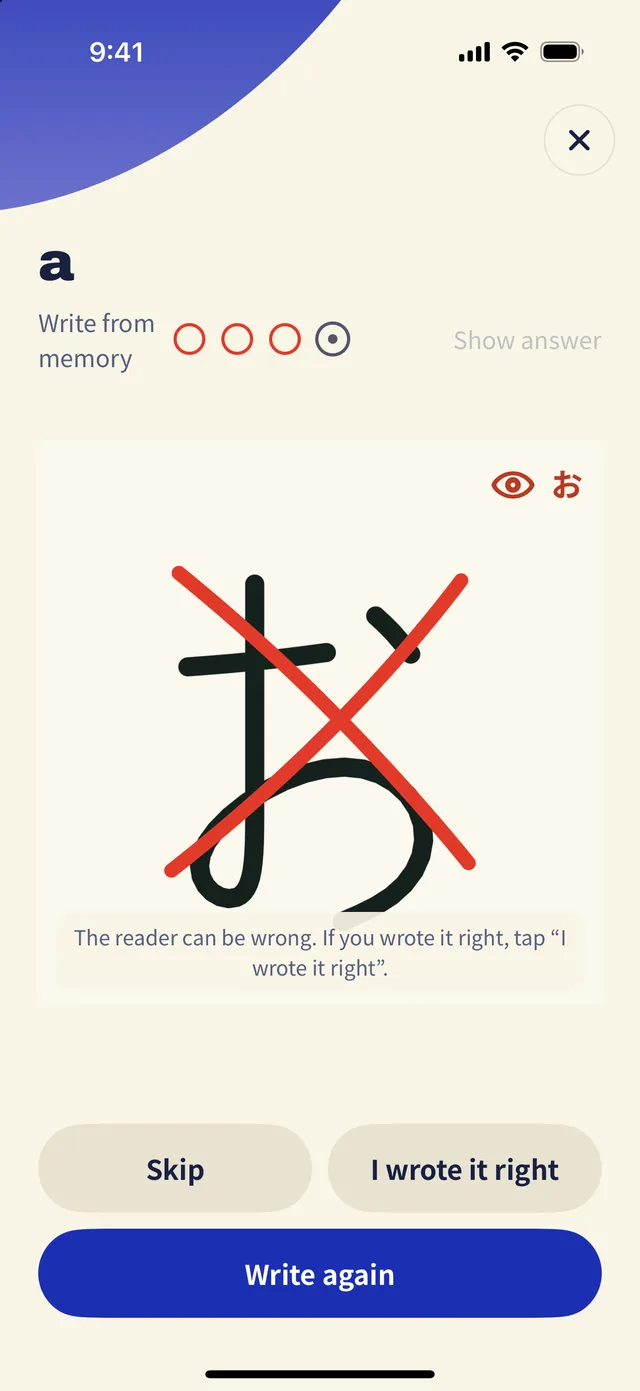
✕ Read as another character
You see what it was read as, then trace the correct strokes again. If the reader got it wrong, tap “I wrote it right.”
How it works
Write. Check. Write again.
Five characters a day, about three minutes. Your hand does the remembering; Inkana does the checking.
Trace to remember
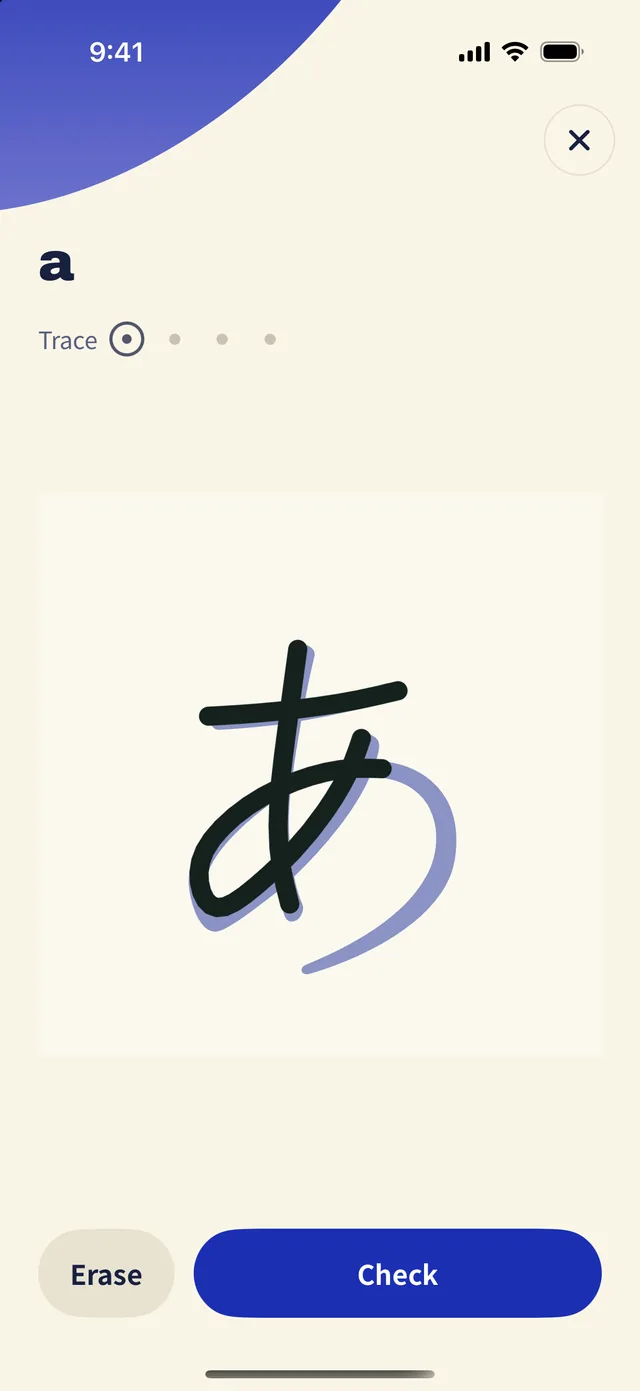
Follow the guide strokes in order, then write it from memory with no guide. Four times per character, until your hand knows it.
Check it instantly
The handwriting reader reads what you wrote. Write お where あ belongs and it tells you it read お, then you trace the correct strokes again.
Tricky ones come back daily
Inkana remembers the characters you miss or can’t recall, and has you write them again the next day, and the day after, until they stick.
No account, no internet
Install and start writing. Writing, grading and saving your progress all happen on your device.
A habit without penalties
Skip a day and nothing on your island wilts or disappears. Characters due for review just glow a little dimmer.
Your writing stays yours
Your handwriting is stored only on your device. Sharing samples to improve recognition is opt-in, and kept separate from any account.
What you learn
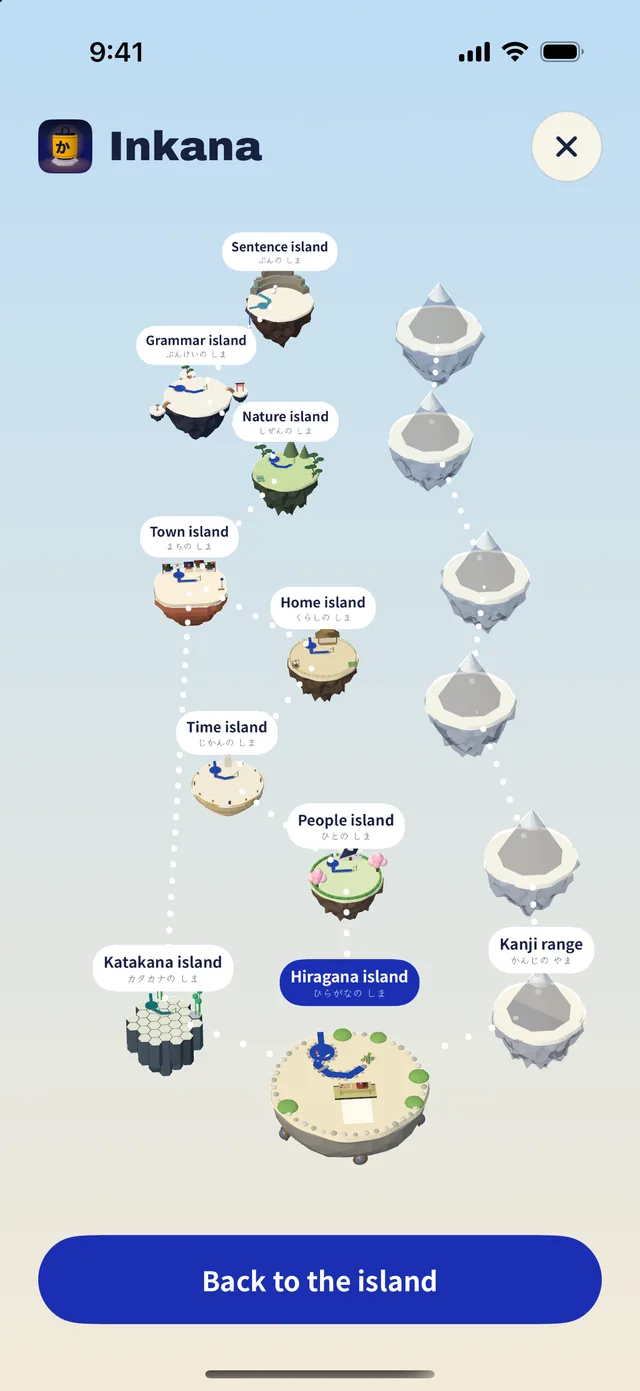
From kana to sentences,
island by island
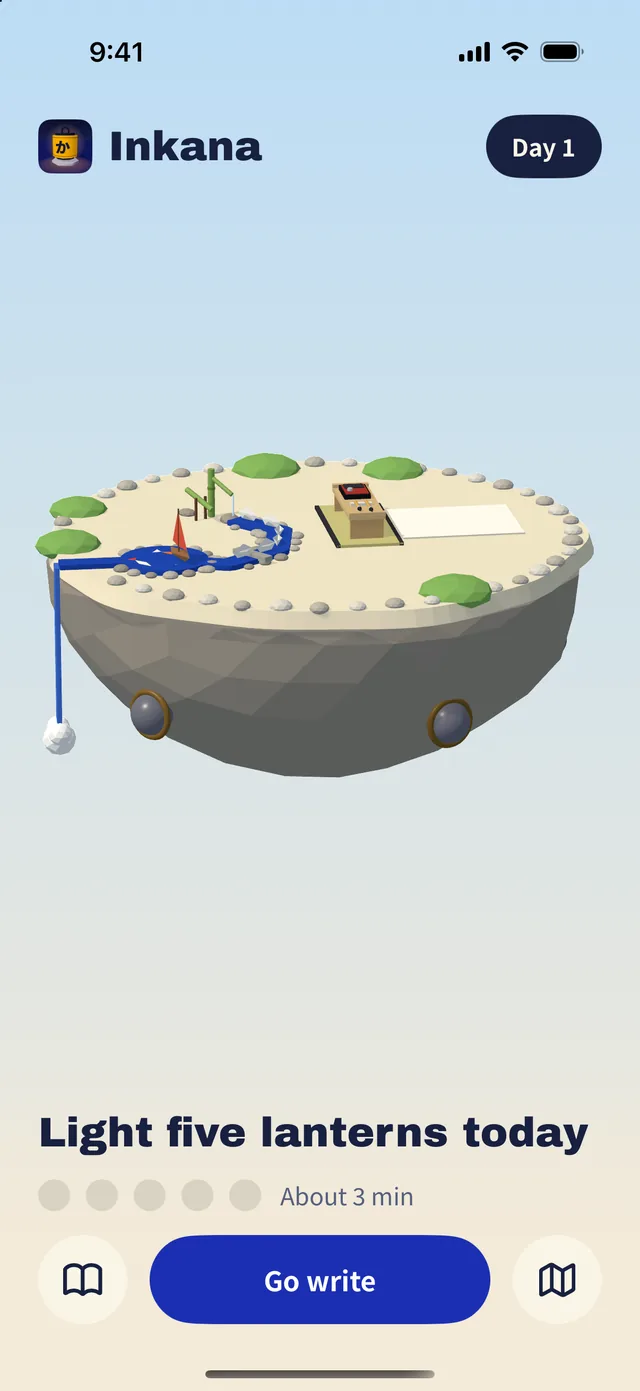
Even if you’ve never seen Japanese, you start on the hiragana island. As you write, lanterns light up and objects fill your island. Finish it and a bridge opens to the next.
- Hiragana island104 characters
- Katakana island104 characters
- Five word islandsPeople · Time · Home · Town · Nature
1,700+ words - Patterns & sentences200+ patterns · 400 sentences
- Kanji mountainStarting with 100 N5 kanji New in 3.0
Pricing · from 3.0
Try it first. Keep going if you like it.
Free
$0
The first 15 hiragana. Write five a day for three days and place your first three objects on the island.
1-year pass
$7.99 / year
Every island opens. When the year ends, your progress and objects are never deleted. Renew and pick up where you left off.
Lifetime pass
Pay once$19.99
Every island today, plus every course added later.
Prices apply from the 3.0 release and are shown in US dollars; the App Store and Google Play show the price for your country. Payment and cancellation are handled by the store you bought from.
FAQ
When is 3.0 coming out?
We’re finishing it now. It’s a rebuilt version of the Inkana app on the App Store today, so if you already have Inkana, it arrives as an app update. Once it’s out, you’ll be able to get it right from this page.
Do I need to know any Japanese?
No. You start by tracing the very first hiragana. If you already know kana, you can start from words or sentences during setup.
What if the grading is wrong?
The reader can make mistakes too. When you get a ✕, tap “I wrote it right” to correct it, or skip, or write it again.
Is it on Android?
A Google Play release is in the works.
How do I delete my account and data?
Delete your account from the app’s Settings. If you can’t use the app, send a request from the account deletion page. Deleting your account doesn’t cancel a subscription; cancel it in the store you bought it from.
Anything else?
See the support page or email info@inimasolution.com.